Citrix Reciever 2.0 for Windows & Mac

Receiver for Windows together with the Merchandising Server is used to deliver enterprise computing as a service.

Receiver for Windows should be used with the Citrix Merchandising Server. For specialized applications, Receiver for Windows may be installed with compatible plug-ins independent of the Merchandising Server. See the Readme for details and limitations.

Citrix Receiver 2.0 for Windows:
Citrix Receiver 2.0 supports the 32- and 64-bit versions of Windows 7, XP, Vista, Server 2003, and Server 2008.

New Features in this Release

Features Description
Anonymous Deliveries Through the use of tokens created with Merchandising Server and the Citrix Receiver Packager, deliveries can be deployed without user authentication. See Configuring Tokens for Anonymous Deliveries for additional information about generating a token in Merchandising Server.
Enhanced Roaming By determining the nature of available connections while roaming, Receiver only prompts users when VPN services are required. See Configuring Beacon Websites for Enhanced Roaming for additional information about implementing this feature in Merchandising Server.
Improved Usability Upgrading avoids the double-install cycle. More seamless authentication process. Improved first-time installation experience.

download Receiver 2.0 for Windows here

Citrix Reciever 2.0 for Mac
Citrix Receiver for Mac together with the Citrix Merchandising Server, the Online plug-in for Mac 11.2 and Secure Access Plugin for Mac 1.2 is used to deliver enterprise computing as a service.

New Features in this Release

Features Description
Access Gateway Plug-in Support Receiver for Mac 2.0 now supports Citrix Access Gateway.
Anonymous Deliveries Through the use of tokens created with Merchandising Server, deliveries can be deployed without user authentication. See Configuring Tokens for Anonymous Deliveries for additional information about generating a token in Merchandising Server.
Citrix Receiver Packager The Citrix Receiver Packager for Mac utility enables administrators to create a single install package containing Receiver for Mac and multiple plug-ins. You can include the Citrix Access Gateway. Including a Merchandising Server token enables anonymous deliveries.
Enhanced Roaming By determining the nature of available connections while roaming, Receiver only prompts users when VPN services are required.
Improved Usability Upgrading avoids the double-install cycle. The authentication process is smoother and clearer, as is the first-time installation process.
Software Developer Kit Like Receiver for Windows, a software development kit is now available for Receiver for Mac.

download Reciever 2.0 for Macintosh here

How to Configure Dazzle for Use with XenApp/XenDesktop and Provisioning Services

I noticed an great Citrix article that Alexander Ervik Johnsen (ervik.as) have pointed to: CTX124932, that i wanna share with you also but i have some thoughts i wanna add to it.

Citrix® Dazzle is the  first self-service “storefront” for enterprise applications. Dazzle  gives corporate employees 24×7 self-service access to a broad array of applications, desktops and content, allowing them to choose exactly what they need, when they need it.

My thoughts:
Citrix® Dazzle is the perfect match with Citrix XenApp & XenDesktop, the article was made, how to best practise implement Citrix® Dazzle in an XenDesktop enviroment. 

Citrix have made an article http://support.citrix.com/proddocs/index.jsp?topic=/dazzle-arran/daz-win-configure-xa-for-dazzle.html, how to “Configure XenApp for the Optimum Dazzle user Experience”,  but i think CTX124932 is also suitable  for configuring Dazzle with XenApp in a Citrix Provisioning Service environment.

Please note that Citrix Dazzle requires Citrix Reciever and the user behaviour is soon changed. 
Citrix release soon Citrix Merchandise 2.0 and Citrix Reciever 2.0, where its possible to distribute a Citrix Reciever without users have to be prompted, the current  Merchandise 1.2 and Citrix Reciever 1.2 requires the users to provide their credentials “first time”, Citrix have listen to the end customers and changed the behavior in the upcoming release.

Citrix Receiver for Android version 1.2 *released*


Version 1.2 of Receiver includes the following new features:

  • Pinch-to-zoom support for devices running Android 2.1 and 2.2. This leads to a much more intuitive way to zoom in and out to view your application’s content. For devices that are running earlier versions of Android Citrix will continue to offer the zoom in and out buttons.
  • Citrix has removed all of the on-screen controls into the menu structure which has led to a cleaner, less cluttered screen.
  • There is no longer a dependency on the device having a trackball to be able to scroll, Citrix has now introduced a new scrolling mode. This mode allows you to easily scroll the content in your application using a single gesture.
  • More intuitive gesture support for right clicking and dragging.
  • Changes to the way that panning works to ensure your application is always visible.
  • A refreshed set of icons to take advantage of high DPI screens. 

Citrix has also introduced support for custom configuration paths on Citrix Access Gateway Enterprise Edition in this release.

Click here to download

ICA Settings Reference – 322 parameters ;)

You might still need to create a customized ICA file, and you dont know which parameters you should be defined in the ICA file then look at http://support.citrix.com/proddocs/index.jsp?topic=/ica-settings/ica-settings-wrapper.html

This is a great methoed of getting an overview of the parameters for creating a customized ica file.
Please notice there is 322 parameters you can choose in the ICA.

Citrix updates this URL once in a while, when there is new parameters in the online plugin.

Another tip:
Citrix Quick Tool – create an customized ICA file http://support.citrix.com/article/CTX122536

but i prefer to do it “old style” via notepad ;o) and with above self defined parameters.

Enjoy.

SMS PASSCODE for Citrix Reciever for Ipad


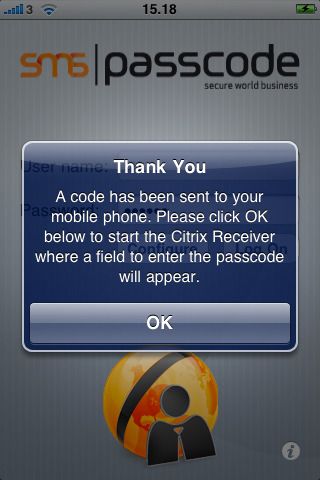
Yes its finally here, now you can login through Citrix via two factor authentication with SMS Passcode.

SMS PASSCODE is the only two factor authentication to Ipad, where you can secure access your Citrix applications/desktop’s. Its very user friendly and easy to configure. Go Ahead. Its Free

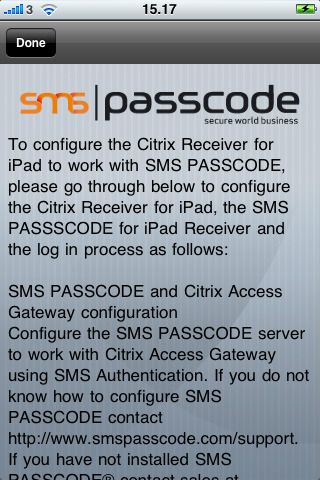
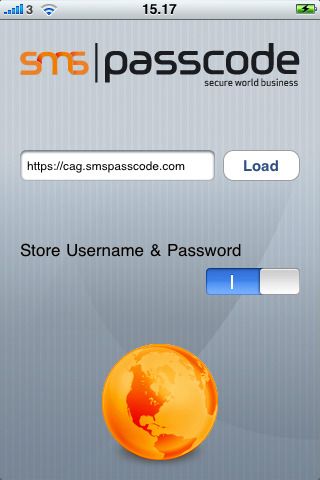
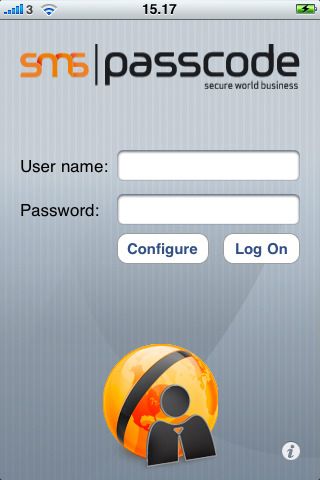
This SMS PASSCODE® application enable you to securely login with the Citrix Receiver for iPad application using SMS Authentication from SMS PASSCODE (www.smspasscode.com).

Note that you will have to read the information file to configure the Citrix Receiver for iPad application to function with the SMS PASSCODE for iPad application

Requirements:
SMS PASSCODE Server & Citrix Access Gateway
Compatible with iPhone, iPod touch, and iPad. Requires iPhone OS 3.0 or later.

Download here from Apple App Store.