
Load Balancing SQL with NetScaler

Scaling the Data Tier with Citrix NetScaler DataStream Technology

Native support and intelligence of SQL transactions is the key to extending the scalability, availability, and security benefits that the ADC brings to the web tier to the data tier, as noted in Sunil Potti’s blog. Similar to the benefits of HTTP  load balancing, a data tier load balancer should provide these key benefits:

  • A native SQL proxy like solution to perform SQL connection management and offload for database scale up scenarios to increase SQL connection limit.
  • A TDS protocol and SQL transaction intelligent load balancer that can accurately monitor backend server status including slave replication backlog to
    optimally distribute load in database scale out setups.
  • High Availability that can address both Master/Master and Master/Slave replication deployments to complete the database scaling solution. Both scaling approaches also need advanced, clustering-like automated IP failover for lower cost high availability with commodity hardware.
  • Database security encompassing transaction activity logging tied to user logins for compliance purposes to be generated from a central location to
    simplify record management.

NetScaler DataStream Technology

Leveraging its expertise in web applications, NetScaler with DataStream technology is the first ADC that justifiably addresses data tier challenges.
With DataStream technology, NetScaler introduces the industry’s first “true” load balancer for data that offers native SQL protocol, data format and
transaction support for scaling database infrastructures. Structured Query Language (SQL) which is the de-facto data format, TDS (Tabular Data Stream) and Oracle MySQL, protocols that are widely deployed, are natively parsed and interpreted in NetScaler’s high speed processing engine, providing all of the
advance policy framework available to act on data connections and transactions. Applying all of the same HTTP acceleration technologies to SQL, NetScaler is able to provide the same benefits to the data tier, such as SQL Connection Multiplexing, SQL Load Balancing, SQL Content Switching, SQL Health Monitoring, Automated Failover and Security.

Features

SQL connection multiplexing: NetScaler’s SQL transaction intelligence enables NetScaler to act as a SQL proxy and terminate SQL connections from both
client and server. Client to server connection multiplexing ratios of 50:1 or more is achievable depending on the application, number of unique database user
logins and character sets in use. SQL Load balancing: Armed with SQL transaction awareness, NetScaler can switch one client’s many SQL transactions in a single TCP connection to several different servers. This delivers more optimal load balancing of SQL traffic since the load distribution is more granular when compared to a TCP load balancer.

  • SQL Content switching (read/write split): NetScaler can interpret SQL transactions and decipher between “select”, “drop”, “insert”, “update” and other SQL statements and perform a split between read and write transactions. Splitting the reads and writes simplifies application server deployments by offloading the decision making and policy enforcement to NetScaler.
  • SQL Health monitoring: NetScaler intelligently load balances SQL requests, by selecting the database server that will return up-to-date data the fastest at the time of the request and sending the read request to only that server.
  • Automated IP failover: NetScaler’s Virtual IP address solution is based on automated IP failover implementation where the virtual IP is assigned to the master node is switched over to the secondary node upon detection of heartbeat/monitor failure.
  • Security: NetScaler can apply granular user access policies to each database user. It also provides a consolidated log of all SQL transactions and user
    accesses for complete visibility, without taxing the database server. SQL protocol validation is also available with advanced Policy Infrastructure (PI)
    regular expressions.

As the industry’s first SQL aware load balancing solution, NetScaler addresses the scaling and availability needs of the data tier, leveraging its
HTTP ADC technology for the web tier. NetScaler’s SQL connection multiplexing scales connection limits for database scale up, native SQL load balancing
optimizes database scale-out, SQL transaction logs simplifies database security and replication aware monitors with Virtual IP based failover enables
cost-effective high-availability.

Combine SQL with Netscaler and you have a perfect match =o)
Command Center 4.1

Command Center is a central manager for Citrix NetScaler, Citrix Access Gateway Enterprise Edition and Citrix Branch Repeater appliances.

New Features in Version 4.1

  • MS SQL 2008 Support
  • Distributed Agents enhanced to Support Syslog, Entity monitoring and Cert Mgmt
  • NITRO for Command Center – JAVA and C# API Support
  • Triggers based on Alarm age
  • Simplified SSL server certificate procedure from CC client for Command Center Server
  • Appfw Signature syslog analytics support
  • Schedule AppFW Dashboard support
  • AppFw transaction id will be displayed in syslog view page
  • Session timeout setting in HTML UI
  • Start in Options in UI
  • Show system name/hostname instead of IP address
  • NetScaler upgradation task to support 9.3 upgradation
  • SNMP authentication failure trap to display source IP
  • Branch Repeater restart task enhancement
  • Add trap action template for event and alarm triggers
  • CC SNMP agent runs on port 8161
  • Ability to configure SNMP trap port
  • Ability to configure multiple Maps with same name

Command Center Features

  • Fault Management and Event Aggregation
  • Historical Reporting and Performance Graphs
  • Real-Time Entity Monitoring Dashboard
  • Central Configuration Management
  • Central Configuration Audit
  • Advanced Alert Thresholds
  • High Availability Deployment Support
  • Automated Task Rollback
  • Central Certificate Management
  • Distributed Agents for better scalability

Supported Operating Systems
Command Center can be installed on servers with the following operating systems

  • Windows Server 2008 and 2008 R2
  • Windows Server 2003 with SP2
  • Red Hat Linux ES 4.0/5.x
  • CentOS 5.5

Supported Databases
Command Center supports the following databases

  • MySQL 5.1.x with InnoDB storage engine
  • Microsoft SQL Server 2005/2008
  • Oracle Database Server 10g

Supported Devices
Command Center supports the following devices

  • NetScaler Enterprise and Platinum edition devices, running OS versions 8.x and 9.x
  • Branch Repeater/ Repeater devices, running OS versions 4.3.2+ and CBRwWS 2.0+
  • Access Gateway Enterprise Edition devices, running OS versions 8.x and 9.x

Licensing
Command Center is available to manage NetScaler Enterprise and Platinum edition, Access Gateway Enterprise Edition and Citrix Branch Repeater devices.

Documentation
Administrations Guide
Installations Guide
Release Notes
User Guide

Download Command Center 4.1

Download Command Center 4.1 here (requires MyCitrix login)

XenDesktop Planning Guide – Load Balancing Web Interface with Netscaler

Overview

Citrix Web Interface is a common method of connecting to both XenApp and XenDesktop. Consequently, if a Web Interface server fails then users will lose access to their applications and desktops. Therefore, ensuring that your Web Interface server is always available is critical. The easiest way to ensure availability is to have a second server available for redundancy. This is simple to implement especially in a virtualized environment such as Citrix XenServer where both Web Interface and Citrix NetScaler can run as virtual machines. NetScaler is available in both a physical (MPX) and virtual (VPX) appliance and provides intelligent load balancing for both Web Interface and the XML components of XenApp and XenDesktop. Additionally, NetScaler includes out of the box integration for secure remote access for both XenApp and XenDesktop environments.


Download XenDesktop Planning Guide: Load Balancing Web Interface with Netscaler

NetScaler VPX Developer Edition

Citrix have released NetScaler VPX Developer Edition for FREE, yes. )

Configure and test your NetScaler environment. Free.

NetScaler VPX makes web apps run 5X better by accelerating web app performance, ensuring that applications are always available and protected, and
substantially lowering server and networking costs.

Whats it in for me ?

NetScaler VPX Developer Edition provides the capabilities of NetScaler Platinum Edition in a free bandwidth-restricted version that’s perfect for configuring and testing the policies you want to  implement in production within your lab.

Put NetScaler VPX to work for you right now. Just:

  1. Download the NetScaler VPX virtual appliance package using the link below.
    Packages are available for XenServer, VMware and Microsoft Hyper-V
  2. Import NetScaler VPX Express onto the virtualized server of your choice.
  3. If you don’t currently have XenServer, get it free here
  4. If you don’t currently have VMWare ESX, evaluation versions can be
    downloaded from vmware.com
  5. Get and activate your free NetScaler VPX Developer Edition license via the
    get license link below
  6. Want more than one license? just click get license again

Download here * may require mycitrix.com credentials.
/enjoy

Simplicity is Power

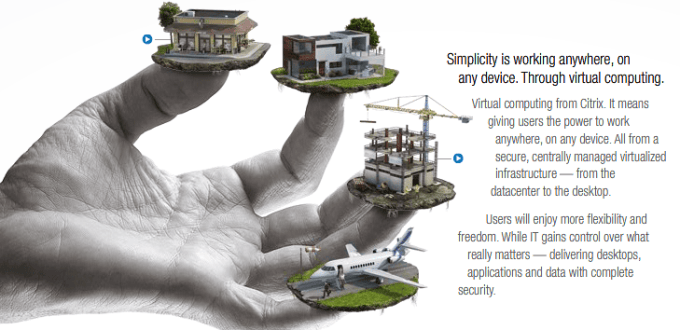
I have noticed today that Citrix have updated their webpage, and i noticed a cool new Citrix Advertise “Work on anywhere, On any device, thats the power of virtual computing” yes this is the topics we se over and over at the Citrix Synergy events ;o).

I recommend you look at this cool webpage, where Citrix explains what Virtual Computing, Virtual Desktop, High-Definition Desktop, Virtual Servers and Networking means to them and how Citrix can solve these things.

look more at http://simplicityispower.citrix.com/