Citrix XenDesktop & XenApp 7.6 Feature Pack 2

Citrix XenDesktop & XenApp 7.6 Feature Pack 2

Citrix released Feature Pack 2 for Citrix XenDesktop & Citrix XenApp.

What’s new in Feature Pack 2 for Citrix XenDesktop 7.6 and XenApp 7.6

The Feature Pack 2 release includes the following new and enhanced features.

StoreFront 3.0

StoreFront includes the following new features and enhancements.

  • Unified Receiver provides modern, centrally-managed and customizable user app selection experience across all user devices.
  • Google Chrome Support without NPAPI.
  • Delegating Authentication to XenApp and XenDesktop when there is no AD trust between sites.
  • Treat All Desktops as Applications to apply Workspace Control and group icons together.
  • Integrated Monitoring Service enables NetScaler to monitor StoreFront.
  • Extended Store Customization SDK for business logic.

Updated StoreFront management console

Support for the unified Receiver experience — StoreFront 3.0 delivers centralized customization and branding of your end users’ applications and desktop selection experience to Receiver users. Your company can customize the interface to reflect your logo, colors, and so forth. Some of the new Receiver and StoreFront features:

  • Simplified application organization — Familiar and consistent application selection experience for use.

Featured app groups. Administrator configured applications that are logically grouped and advertised to users in the applications selection experience.

Folder view of applications. Return of Web Interface functionality in StoreFront.

Favorites. Easily add or remove applications to Favorites for quick access.

  • Server-managed user experience — Application selection experience is server configured.

Change once, deploy everywhere. User application selection experience changes are made by the administrator on StoreFront server.

Consistent application selection experience for user. Any device running Receiver receives its application selection experience from the server as HTML5, providing for consistency as users move across smartphones, tablets, and desktop form factors.

Decouple the application selection experience from Receiver capabilities. Client upgrade without end user training or user experience impact; Support legacy user experience without legacy client cost.

  • Fit for purpose user experience customization options — You select the appropriate level of customization.

Updated out-of-the-box user experience. Modernized end user application selection look-and-feel.

Server-configured branding customizations. You brand with corporate logos, color, and featured application groups.

Deeper customization and branding options. CSS and script APIs available to enable deeper levels of customization.

Use the StoreFront management console to do the following Receiver related tasks:

Set Receiver for Web as the default for the store.

Create a Receiver for Web website.

Change website type.

Customize the website appearance.

See the Support for Receiver for Web article.

  • Featured app groups management — App groups are groups of applications that are related or fit in a specific category making them more easily discoverable. With Studio and the StoreFront management console you can define app groups using keywords, application names, or categories.

See the Create and manage featured apps article.

XML service-based authentication.

You can configure StoreFront to use the XenApp and XenDesktop XML Service to authenticate the user name and password credentials where a user explicitly provides a user name and password.  Use PowerShell cmdlets to enable and disable this feature. For more information, see XML service-based authentication.

Support for HDX Real-Time Optimization Pack 1.8

HDX RealTime Optimization Pack includes the following new features and enhancements.

  • Support for the Microsoft Skype for Business client in Lync UI mode, the Microsoft Lync 2013 client, and the Microsoft Lync 2010 client.
  • Support for the Lync Server 2013 Autodiscover Service.
  • Call Park and Call Pick Up in Lync 2010 client.
  • Call forwarding and simultaneous ringing controls for Lync 2010 client
  • Support for Mac.
  • Kerberos authentication.
  • Plus (+) symbol in the dial pad.
  • Support for the Microsoft Windows 10 technical preview.

For information, see HDX RealTime Optimization Pack 1.8.

Session Recording

Session Recording includes the following new features and enhancements.

  • You can specify the connection credentials to the database when installing the Session Recording Database component.
  • You can test the connectivity of database during the installation of the Session Recording Database and Session Recording Server components and test the connectivity of the Session Recording Server during the installation of Session Recording Agent component.
  • Microsoft Shared Management Objects is no longer requirement for Session Recording Database installation.
  • Citrix Experience Improvement Program (CEIP) is integrated in Session Recording. For more information, see About the Citrix Customer Experience Improvement Program.

For more information, see Session Recording – for XenApp 7.6 FP1 and FP2 only.

Linux Virtual Desktop

You can now create Linux virtual desktops based on SUSE and Red Hat distributions. Prepare your Linux virtual machines, install the new Linux VDA software on them, configure your Delivery Controller, and then use Studio to make the desktops available to users. For more information, see the following documents.

Installation guide for SUSE

Installation guide for Red Hat

Framehawk Virtual Channel

Framehawk is a new ICA virtual channel that extends Citrix HDX technologies, a set of capabilities that work together to deliver a high-definition user experience of virtual desktops and applications.

The Framehawk virtual channel optimizes the delivery of virtual desktops and applications to users on broadband wireless connections. It is ideal for mobile devices under lossy network connections. With Framehawk integrated into the industry-leading HDX technology, Citrix provides a smooth and intuitive user experience in conditions where remote workspace users previously experienced poor interactivity, such as on wireless connections with high packet loss or congestion.

For more information, see the following document.

Administrator guide

Director 7.6.300

This version of Director supports the Framehawk virtual channel. You can display HDX graphics information, which lets you monitor and troubleshoot any session that uses the channel.

Source

Download Citrix XenDesktop 7.6 Feature Pack 2 here (requires MyCitrix ID)

Download Citrix XenApp 7.6 Feature Pack 2 here (requires MyCitrix ID)

Download Citrix Storefront 3 here (requires MyCitrix ID)

Download Director 7.6.300 here

Download Session Recorder here (requires MyCitrix ID)

Download HDX Realtime Optimization Pack 1.8 here (requires MyCitrix ID)

Download Citrix Linux Virtual Desktops here (requires MyCitrix ID)

Download HDX with Framework here

FYI – Remember to update your hot fixes to latest level for Studio, GPO, VDA, download the hot fixes here


Best of NVIDIA GTC 2015

NVIDIA GTC 2015

Hi All

GPUtechnologyconferenceIMG_1730

IMG_1734IMG_1740


After a succesfull NVIDIA GTC (gpu technology conference) in San Jose, March 2015. It was amazing all the brain gathered in one place, at NVIDIA GTC 2015, I had so many great conversations with friends, partners and there was one sentence I thought through “try to imagine what could you do for the world if we tried to build 1 thing with all this brain power in joined forces” . NVIDIA is doing amazing things and this year it was all about “Deep Learning” and “NVIDIA GRID”. Google was part of the keynote and it was very interesting seeing how far AI is evolving, Elon Musk the guy behind Tesla, Space-X was also on stage.

NVIDIA GRID was big this year and all the vendors, Lenovo, HP, Dell, Cisco, Supermicro, Citrix, Vmware and such was there. There was tonz of success stories and best practices. So amazing to learn all the best on GPU enabled application/desktop using either Citrix or VMware, this is the conference to learn from people that are early adapters, the best of the best. If you feel missed out come next year and you understand what I mean. This conference is very different compared to other conferences. This is here it all happens, all industries meet and make a fusion across GPU’s. If you missed this year GTC, I highly recommend you go to the next year GTC which takes place in April 4-8th, 2016 in Silicon Valley

I have captured some of the best moments

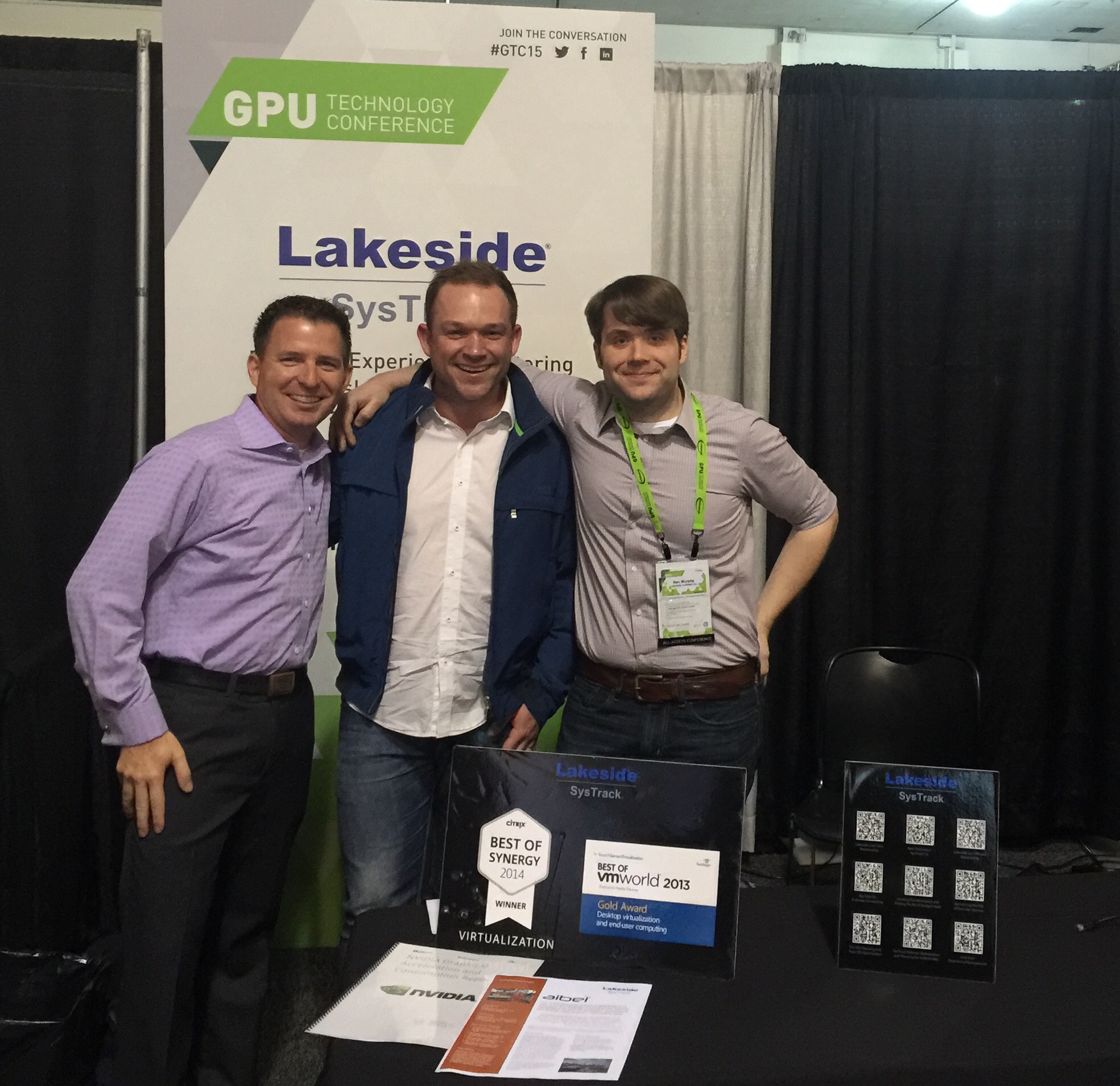
Great meeting Lakeside Software and seeing they had the “print” of the case study I did with Magnar Johnsen we did for Firstpoint client AIBEL.

FullSizeRender 2

I meet for the first time the CEO and founder of NVIDIA Jen-Hsun Huang, he is a very inspiring person.

IMG_1814IMG_1816

IMG_1820
Another great friend was Fred Devoir from Textron “the man in the middle” and another great friend and fellow CTP, Dane Young.

Fred Devoir had two sessions at GTC, I highly recommend you watch them both.

If you attended and could see all the sessions or you couldn’t join GTC, now all 500 sessions are available for the public. #AMAZING, thank you NVIDIA for this.

I have in this blogpost made it easy to find all the great sessions about NVIDIA GRID

Learn the best of the best about NVIDIA GRID implementations:

If you want to Watch the session I did at NVIDIA GTC click here

Click the sessions with the “blue” link and the recorded session will start.

Citrix sessions


Gunnar Berger, CTO from Citrix
S5872 – Worlds Collide: What Happens When VDI Meets GPU? 

Derek Thorslund, Director of Product Management, HDX, Citrix Systems
Mayunk Jain, Senior Technical Marketing Manager, Citrix Systems
S5390 – Citrix HDX 3D Virtualization: Six Years of Remoting 3D Apps

Roland Wartenberg Director Global SAP Alliance, Citrix
David Cruickshank Sr. Director, Strategy and Operations, SAP Co-Innovation Lab, SAP Labs
S5377 – Running SAP 3D Visual Enterprise Using Citrix and NVIDIA – What about Performance?

Erik Bohnhorst, SR. GRID Solution Architect from NVIDIA
Ronald Grass, SR. Systems Engineer from Citrix

S5393 – Evolution of an NVIDIA GRID™ Deployment


Citrix customer success stories:

Success story – Ford Motor Company

Chip Charnley, Technical Expert from Ford Motor Company
S5206 – So You Want to Deploy High Resolution Graphics Desktop Virtualization

Success story – Roger Williams University

George Thornton, VP of Engineering from Logical Front
Jim Galib IT Director from Roger Williams University
Ryan Tiebout, System Operations Manager from Rogers Williams University

S5225 – University’s Desktop Virtualization Delivers Graphics-Intense Apps on Any Device

Success story – Duke University

G Allan Johnson Charles E Putman Professor of Radiology,Physics, and Engineering from Duke University

S5558 – Publishing Medical Image Studies with NVIDIA GRID™

Success story – Georgia Institute of Technology College of Engineering

Florian Becker Sr. Director, Strategic Alliances, Lakeside Software

Didier Contis Director Technology Services, Georgia Institute of Technology College of Engineering

S5128 – Case Study: Georgia Tech Uses Citrix XenApp with NVIDIA® GRID™ to Deliver Engineering Applications

Success story – Textron

Fred Devoir Sr. Architect, Textron Inc.
Randall Siggers Solutions Architect, Textron Inc.

S5485 – Exploring Design Considerations: CAD/CAM Experiences from the Experts Using Citrix and VMware

Success story – The Kanavel Group

Garrett Taylor CIO, The Kanavel Group

S5620 – Implementing NVIDIA GRID with XenDesktop: A Technical Deep Dive


VMware sessions

Mark Margevicius Director, EUC Strategy, VMWare

S5533 – Dedicating GPUs for VDI and SBC Workloads: How the ROI and Business Value More Than Justifies the Expense

Banit Agrawal Senior Performance Engineer, VMware
Luke Wignall GRID Performance Engineering Manager, NVIDIA
Lan Vu Performance Engineer, VMware

S5385 – Benchmarking 3D workloads at scale on NVIDIA GRID with Horizon View 6 using View Planner

Jeff Weiss NVIDIA GRID SA Manager, NVIDIA
Luke Wignall GRID Performance Engineering Manager, NVIDIA

S5405 – VMware Horizon 6 and NVIDIA vGPU: Installation and Configuration Best Practices

VMware customer success stories

Success story – Jacobs Engineering

Jeff Weiss NVIDIA GRID SA Manager, NVIDIA
Randall Siggers Solutions Architect, Textron Inc.
Ali Rizvi PLM Support Analyst, Bell Helicopter

S5345 – VMware Horizon 6 View with NVIDIA GRID: A Practical Discussion of a Real-World Deployment

Success story – USC Information Sciences Institute

John Paul Walters Project Leader, USC Information Sciences Institute

S5323 – Achieving Near-Native GPU Performance in the Cloud
Download PDF of presentation

Success story – HDR Inc

Clint Pearson IT Infrastructure Systems Lead, HDR, Inc.
Jeremy Korell IT Infrastructure Systems Lead, HDR, Inc.

S5414 – GPU-Enabled VDI and Rendering at Architecture and Engineering Firm HDR

Vendors (HP, Cisco, Lakeside Software)

System Integrators of NVIDIA GRID


 System Integrators success stories of NVIDIA GRID

Success story – Poppelgaard.com

Thomas Poppelgaard, Technology Evangelist from Poppelgaard.com

S5445 – Building the Best User Experience with Citrix XenApp & NVIDIA® GRID™

Success story – PQR

Jits Langedijk, Senior Consultant from PQR

S5265 – Customer Success Story: Desktop Virtualization with NVIDIA GRID for a Large Construction Company

Success story – IMSCAD

Adam Jull CEO, IMSCAD

S5219 – Delivering Production Deployments Using Virtualization and NVIDIA GRID™

Success story – Wipro

Michael Harwood Citrix Architect, Wipro Limited

S5283 – Remote Visualization in Healthcare


Panel discussions

Aivars Apsite, Technology Strategist, Metro Health
Cedric Courteix, Partner Alliance Architect, VMware
Clint Pearson, IT Systems Lead, HDR Inc.
John Meza, Performance Engineering Team Lead, Esri

S5542 – Scaling Out Virtual GPU with NVIDIA GRID and VMware Horizon


NVIDIA sessions about Citrix & VMware

Jason Southern Senior Solution Architect, NVIDIA

S5213 – Effective Planning for Density and Performance in a Virtual Desktop Deployment with NVIDIA GRID™

Manvender Rawat GRID Applied Engineer, NVIDIA
Jason K Lee GRID Applied Engineer, NVIDIA

S5560 – Scalability Testing for Virtualized GPU Environments

Citrix XenServer 6.5 Service Pack 1

Citrix XenServer 6.5 Service Pack 1

At Citrix Synergy, Mark T announces the availability of Citrix XenServer 6.5 Service Pack 1.
This is an important step for Citrix and shows the value of how Citrix is supporting their Hypervisor.

From my view its great to see Intel GVT-d joins the GPU pass-through which NVIDIA have been doing for a long time. NVIDIA is the leader of GPU for desktop/server virtualization and with NVIDIA GRID vGPU density makes it more affordable for every business.

NVIDIA GPU pass-through for Linux VM’s is now supported, great move and needed for Virtual Desktop Agent for Linux so you can connect to a GPU enabled desktop that is virtualized on Citrix XenServer

Service Pack 3 is a 379MB file, so it contains lots of hotfixes 🙂


What’s New in This Service Pack 1

This Service Pack 1 for Citrix XenServer 6.5 delivers the following new features:

  1. Enhanced guest support
    • RHEL, CentOS, Oracle Linux 6.6 and 7.1
    • Scientific Linux 5.11, 6.6, 7.0, 7.1
    • SUSE Linux Enterprise Desktop 11 SP3
    • CoreOS 633.1.0
  2. Intel GVT-d Pass-through support for Windows VMs
  3. NVIDIA GPU Pass-through support for Linux VMs
  4. Ability to manage and monitor Docker™ containers using XenCenter
  5. Improved user experience for read caching. Customers can now see the status of read caching in XenCenter
  6. Improved supplemental pack installation
  7. More resilient hotfix and service pack installation

In addition, this Service Pack includes the following previously released hotfixes.

  1. CTX142060 – Hotfix XS65E001 – For XenServer 6.5.0
  2. CTX142059 – Hotfix XS65E002 – For XenServer 6.5.0
  3. CTX142061 – Hotfix XS65E003 – For XenServer 6.5.0
  4. CTX142141 – Hotfix XS65E005 – For XenServer 6.5.0
  5. CTX142147 – Hotfix XS65E006 – For XenServer 6.5
  6. CTX142273 – Hotfix XS65E007 – For XenServer 6.5.0
  7. CTX142266 – Hotfix XS65E008 for XenServer 6.5.0


XenServer 6.5.0 Service Pack 1 (XS65ESP1) should be installed by all customers running XenServer 6.5.0. It includes all previously released XenServer 6.5 hotfixes. Installation of XS65ESP1 will be required for future functional hotfixes.

Citrix will continue to provide security updates to the base XenServer 6.5 product for a period of six months, from the release date of the XenServer 6.5 Service Pack 1 (until 12th November 2015). After this six month period elapses, any new hotfixes will only be released to support XenServer 6.5 with SP1 applied.

Source

Download Citrix XenServer service pack 1 here (does not require my citrix id)

or

here (requires my citrix id)

Introducing The End User Computing Podcast

Introducing The End User Computing Podcast

Over the last several years, many of us in the industry have discussed the need for community driven End User Computing podcasts focusing on virtualization topics for people designing, deploying, and using Citrix, Microsoft, VMware and surrounding†technologies. I am excited to share that this month, two new Podcasts are being launched! First, a warm congratulations to Jarian Gibson and Andy Morgan on the successful launch of their Podcast, Frontline Chatter. Here’s to many years of continued success! Next, allow me to introduce the End User Computing Podcast!

Continue reading